작업 관리
Source URL: https://developers.openai.com/codex/app/automations
자동화
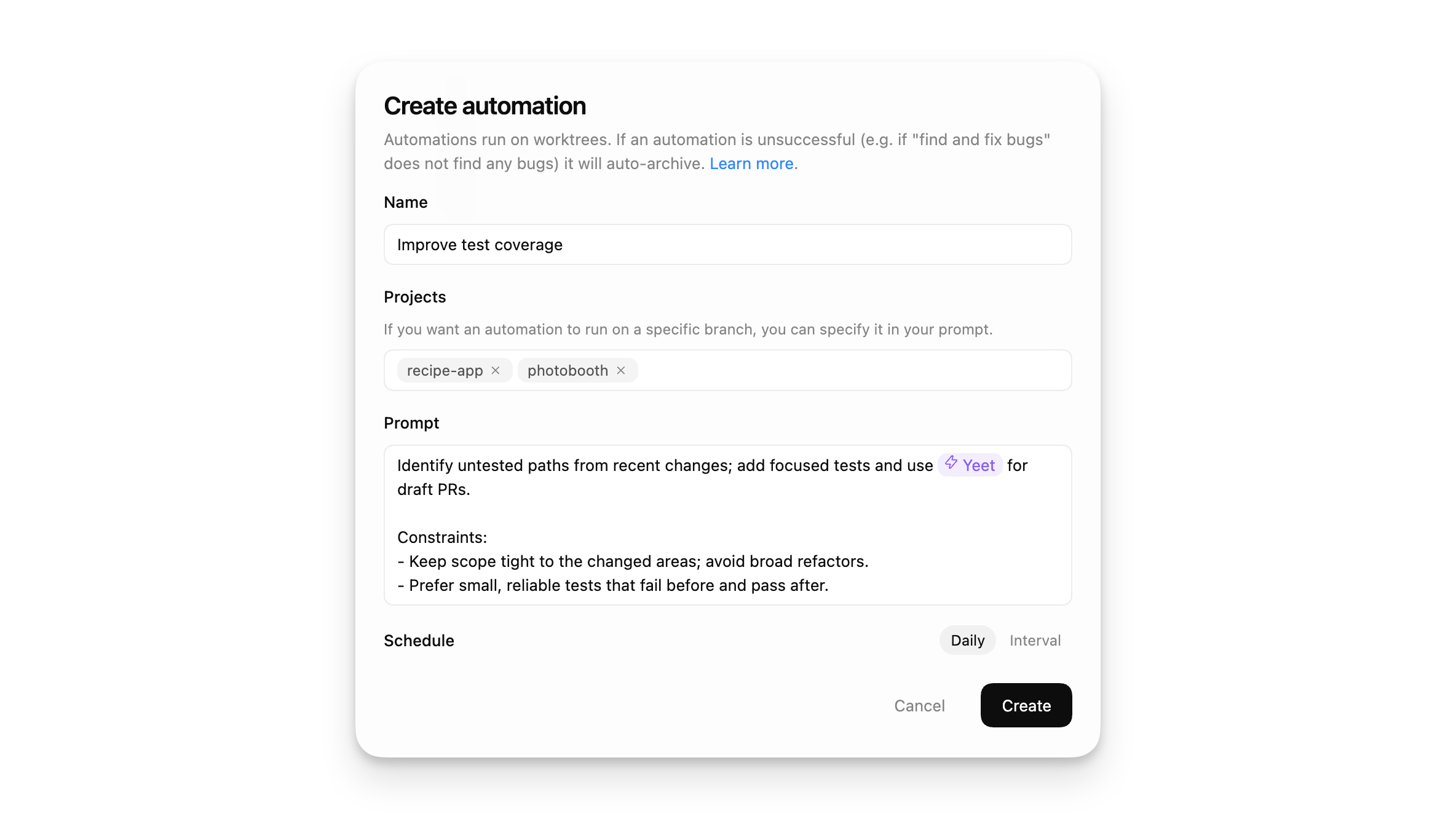
섹션 제목: “자동화”반복 작업을 백그라운드에서 자동화합니다. Codex는 결과가 있으면 인박스에 추가하고, 보고할 내용이 없으면 작업을 자동으로 보관합니다. 더 복잡한 작업을 위해 기술과 자동화를 결합할 수 있습니다.
자동화는 Codex 앱에서 로컬로 실행됩니다. 앱이 실행 중이어야 하고, 선택한 프로젝트가 디스크에 존재해야 합니다.
Git 저장소에서는 자동화 실행마다 새로운 워크트리에서 시작되어 메인 체크아웃에 영향을 주지 않습니다. 버전 관리되지 않는 프로젝트에서는 자동화가 프로젝트 디렉터리에서 직접 실행됩니다.
작업 관리
섹션 제목: “작업 관리”모든 자동화와 실행 기록은 Codex 앱 사이드바의 자동화 창에서 확인할 수 있습니다.
“Triage” 섹션이 인박스 역할을 합니다. 결과가 있는 자동화 실행은 그곳에 나타나며, 모든 실행 또는 읽지 않은 실행만 필터링할 수 있습니다.
Git 저장소에서 자동화가 실행되면 Codex는 전용 백그라운드 워크트리를 사용합니다. 버전 관리되지 않는 프로젝트에서는 자동화가 프로젝트 디렉터리에서 직접 실행됩니다. 백그라운드 워크트리 실행을 위해 Git을 사용하는 것을 고려하세요. 동일한 자동화를 여러 프로젝트에서 실행할 수 있습니다.
자동화는 기본 샌드박스 설정을 따릅니다. 읽기 전용 모드에서는 파일 수정, 네트워크 액세스 또는 컴퓨터의 앱과 상호작용해야 하는 도구 호출이 실패합니다. 전체 접근 권한이 활성화된 경우 백그라운드 자동화는 위험이 커집니다. 설정에서 샌드박스 설정을 조정하고 규칙을 통해 명령을 선택적으로 허용 목록에 추가할 수 있습니다.
자동화를 유지보수 가능하고 팀 간 공유할 수 있게 하려면 기술을 사용해 작업을 정의하고 Codex에 도구와 컨텍스트를 제공합니다. 자동화 내에서 $skill-name을 사용해서 기술을 명시적으로 트리거할 수도 있습니다.
자동화를 안전하게 테스트하기
섹션 제목: “자동화를 안전하게 테스트하기”자동화를 예약하기 전에 일반 스레드에서 프롬프트를 수동으로 먼저 테스트하세요. 그래야 다음을 확인할 수 있습니다:
- 프롬프트가 명확하고 적절한 범위인지
- 선택한 모델과 도구가 기대대로 작동하는지
- 결과 diff가 리뷰 가능한지
실행 예약을 시작할 때는 처음 몇 개 결과를 면밀히 검토하고 필요하면 프롬프트나 실행 주기를 조정하세요.
자동화를 위한 워크트리 정리
섹션 제목: “자동화를 위한 워크트리 정리”Git 저장소에서는 자동화가 워크트리에서 실행됩니다. 자주 예약하면 워크트리가 많이 생성될 수 있습니다. 더 이상 필요 없는 자동화 실행은 보관하고, 워크트리를 유지하려는 목적이 아니라면 실행 고정을 피하세요.
권한 및 보안 모델
섹션 제목: “권한 및 보안 모델”자동화는 무인 실행을 위해 설계되었으며 기본 샌드박스 설정을 따릅니다.
- 샌드박스 모드가 읽기 전용이면 파일 수정, 네트워크 액세스 또는 컴퓨터 앱과 상호작용해야 하는 도구 호출이 실패합니다. 설정을 workspace write로 업데이트하는 것을 고려하세요.
- 샌드박스 모드가 workspace-write이면 워크스페이스 외부 파일 수정, 네트워크 액세스 또는 컴퓨터 앱 작업을 요구하는 도구 호출이 실패합니다. 규칙을 통해 샌드박스 외부에서 실행 가능한 명령을 선택적으로 허용 목록에 추가할 수 있습니다.
- 샌드박스 모드가 전체 접근이면 Codex가 묻지 않고 파일을 수정하거나 명령을 실행하거나 네트워크에 접속할 수 있으므로 백그라운드 자동화는 더 큰 위험을 내포합니다. 샌드박스 설정을 workspace write로 업데이트하고, 어떤 명령을 전체 접근으로 실행할지 규칙을 사용해 선택적으로 정의하는 것을 고려하세요.
관리되는 환경이라면 관리자에게서 이러한 동작을 admin-enforced requirements로 제한할 수 있습니다. 예를 들어 approval_policy = "never"를 금지하거나 허용되는 샌드박스 모드를 제한할 수 있습니다. 자세한 내용은 Admin-enforced requirements (requirements.toml)을 참조하세요.
조직 정책에서 허용하는 경우 자동화는 approval_policy = "never"를 사용합니다. 관리자의 요구사항에 따라 approval_policy = "never"가 금지되면, 자동화는 선택한 모드의 승인 동작으로 대체됩니다.
자동으로 새로운 기술 생성
섹션 제목: “자동으로 새로운 기술 생성”Scan all of the `~/.codex/sessions` files from the past day and if there have been any issues using particular skills, update the skills to be more helpful. Personal skills only, no repo skills.
If there’s anything we’ve been doing often and struggle with that we should save as a skill to speed up future work, let’s do it.
Definitely don't feel like you need to update any- only if there's a good reason!
Let me know if you make any.프로젝트 최신 상태 유지
섹션 제목: “프로젝트 최신 상태 유지”Look at the latest remote origin/master or origin/main . Then produce an exec briefing for the last 24 hours of commits that touch <DIRECTORY>
Formatting + structure:
- Use rich Markdown (H1 workstream sections, italics for the subtitle, horizontal rules as needed).- Preamble can read something like “Here’s the last 24h brief for <directory>:”- Subtitle should read: “Narrative walkthrough with owners; grouped by workstream.”- Group by workstream rather than listing each commit. Workstream titles should be H1.- Write a short narrative per workstream that explains the changes in plain language.- Use bullet points and bolding when it makes things more readable- Feel free to make bullets per person, but bold their name
Content requirements:
- Include PR links inline (e.g., [#123](https://developers.openai.com/codex/app/...)) without a “PRs:” label.- Do NOT include commit hashes or a “Key commits” section.- It’s fine if multiple PRs appear under one workstream, but avoid per‑commit bullet lists.
Scope rules:
- Only include changes within the current cwd (or main checkout equivalent)- Only include the last 24h of commits.- Use `gh` to fetch PR titles and descriptions if it helps. Also feel free to pull PR reviews and comments기술과 자동화를 결합해 직접 버그 수정
섹션 제목: “기술과 자동화를 결합해 직접 버그 수정”자신의 커밋에서 도입된 버그를 찾고 수정하는 새로운 기술을 만들고 $recent-code-bugfix를 생성하여 자신의 개인 기술에 저장하세요(store it in your personal skills).
---name: recent-code-bugfixdescription: Find and fix a bug introduced by the current author within the last week in the current working directory. Use when a user wants a proactive bugfix from their recent changes, when the prompt is empty, or when asked to triage/fix issues caused by their recent commits. Root cause must map directly to the author’s own changes.---
# Recent Code Bugfix
## Overview
Find a bug introduced by the current author in the last week, implement a fix, and verify it when possible. Operate in the current working directory, assume the code is local, and ensure the root cause is tied directly to the author’s own edits.
## Workflow
### 1) Establish the recent-change scope
Use Git to identify the author and changed files from the last week.
- Determine the author from `git config user.name`/`user.email`. If unavailable, use the current user’s name from the environment or ask once.- Use `git log --since=1.week --author=<author>` to list recent commits and files. Focus on files touched by those commits.- If the user’s prompt is empty, proceed directly with this default scope.
### 2) Find a concrete failure tied to recent changes
Prioritize defects that are directly attributable to the author’s edits.
- Look for recent failures (tests, lint, runtime errors) if logs or CI outputs are available locally.- If no failures are provided, run the smallest relevant verification (single test, file-level lint, or targeted repro) that touches the edited files.- Confirm the root cause is directly connected to the author’s changes, not unrelated legacy issues. If only unrelated failures are found, stop and report that no qualifying bug was detected.
### 3) Implement the fix
Make a minimal fix that aligns with project conventions.
- Update only the files needed to resolve the issue.- Avoid adding extra defensive checks or unrelated refactors.- Keep changes consistent with local style and tests.
### 4) Verify
Attempt verification when possible.
- Prefer the smallest validation step (targeted test, focused lint, or direct repro command).- If verification cannot be run, state what would be run and why it wasn’t executed.
### 5) Report
Summarize the root cause, the fix, and the verification performed. Make it explicit how the root cause ties to the author’s recent changes.
이후, 다음 자동화를 만드세요:
Check my commits from the last 24h and submit a $recent-code-bugfix.