Codex app
Source URL: https://developers.openai.com/codex/app
Codex app
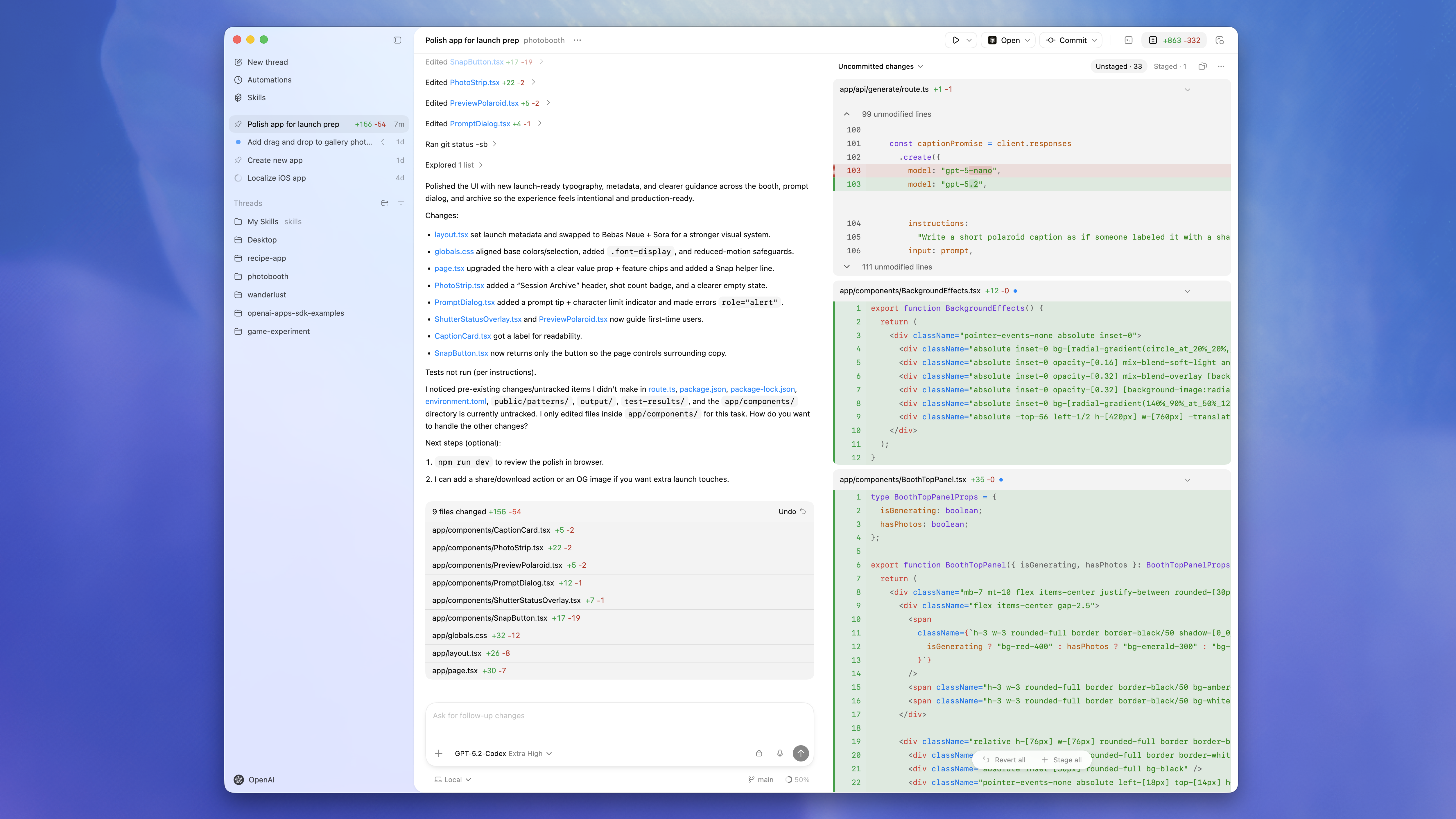
Section titled “Codex app”The Codex app is a focused desktop experience for working on Codex threads in parallel, with built-in worktree support, automations, and Git functionality.
ChatGPT Plus, Pro, Business, Edu, and Enterprise plans include Codex. Learn more about what’s included.
Getting started
Section titled “Getting started”The Codex app is available on macOS (Apple Silicon).
-
Download and install the Codex app
The Codex app is currently only available for macOS.
[Get notified for Windows and Linux](https://openai.com/form/codex-app/)2. Open Codex and sign in
Once you downloaded and installed the Codex app, open it and sign in with your ChatGPT account or an OpenAI API key.
If you sign in with an OpenAI API key, some functionality such as cloud threads might not be available.
-
Select a project
Choose a project folder that you want Codex to work in.
If you used the Codex app, CLI, or IDE Extension before you’ll see past projects that you worked on.
-
Send your first message
After choosing the project, make sure Local is selected to have Codex work on your machine and send your first message to Codex.
You can ask Codex anything about the project or your computer in general. Here are some examples:
-
Tell me about this project
-
Build a classic Snake game in this repo.
-
Find and fix bugs in my codebase with minimal, high-confidence changes.
If you need more inspiration, check out the explore section.
Work with the Codex app
Section titled “Work with the Codex app”Run multiple tasks in parallel and switch quickly between them.
Review diffs, comment inline, stage or revert chunks, and commit without leaving the app.
Isolate changes of multiple Codex threads using built-in Git worktree support.
Give your Codex agent additional capabilities and reuse skills across App, CLI, and IDE Extension.
Pair skills with automations to automate recurring tasks in the background. Codex adds findings to the inbox, or automatically archives runs if there’s nothing to report.
Open a terminal per thread to test your changes, run dev servers, scripts, and custom commands.
Define worktree setup scripts and common project actions for easy access.
Share Auto Context and active threads across app and IDE sessions.
Connect your Codex agent to additional services using MCP.
Need help? Visit the troubleshooting guide.