error.js
Source URL: https://nextjs.org/docs/app/api-reference/file-conventions/error
error.js
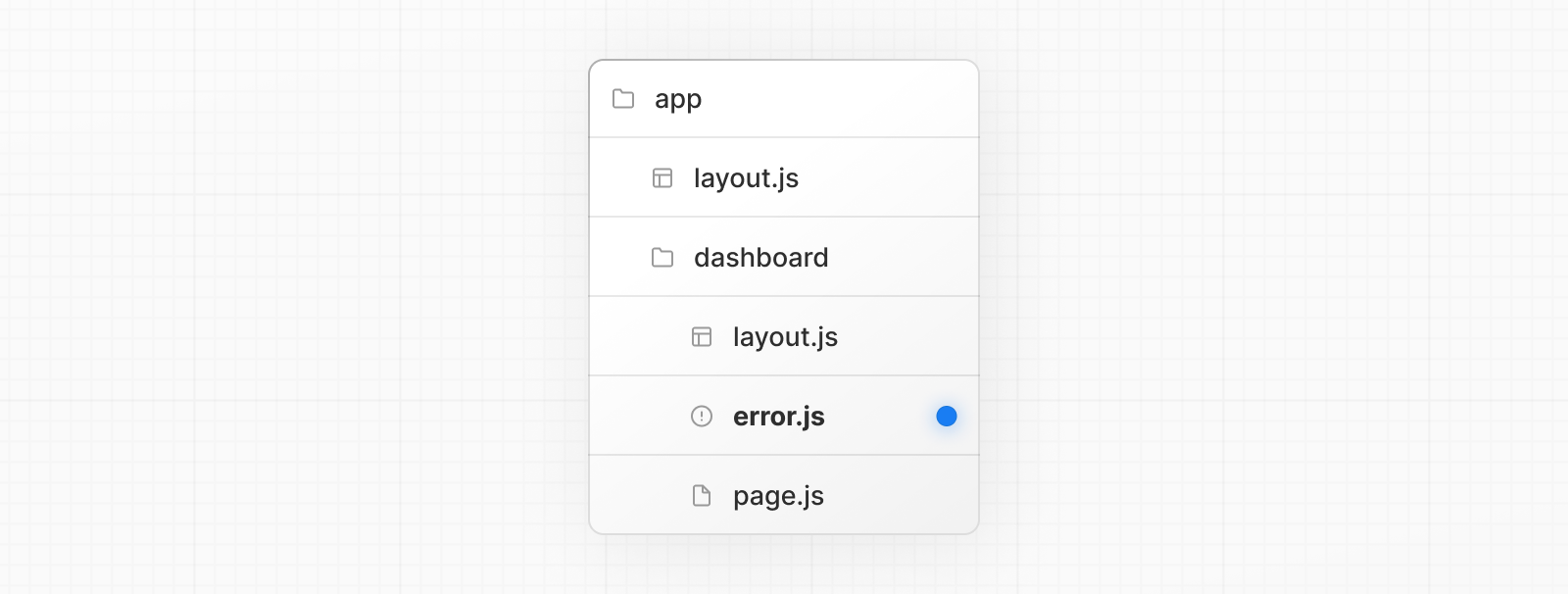
Section titled “error.js”An error file allows you to handle unexpected runtime errors and display fallback UI.
'use client' // Error boundaries must be Client Components
import { useEffect } from 'react'
export default function Error({  error,  reset,}: {  error: Error & { digest?: string }  reset: () => void}) {  useEffect(() => {    // Log the error to an error reporting service    console.error(error)  }, [error])
return ( <div> <h2>Something went wrong!</h2> <button onClick={ // Attempt to recover by trying to re-render the segment () => reset() } > Try again </button> </div> )}'use client' // Error boundaries must be Client Components
import { useEffect } from 'react'
export default function Error({ error, reset }) { useEffect(() => { // Log the error to an error reporting service console.error(error) }, [error])
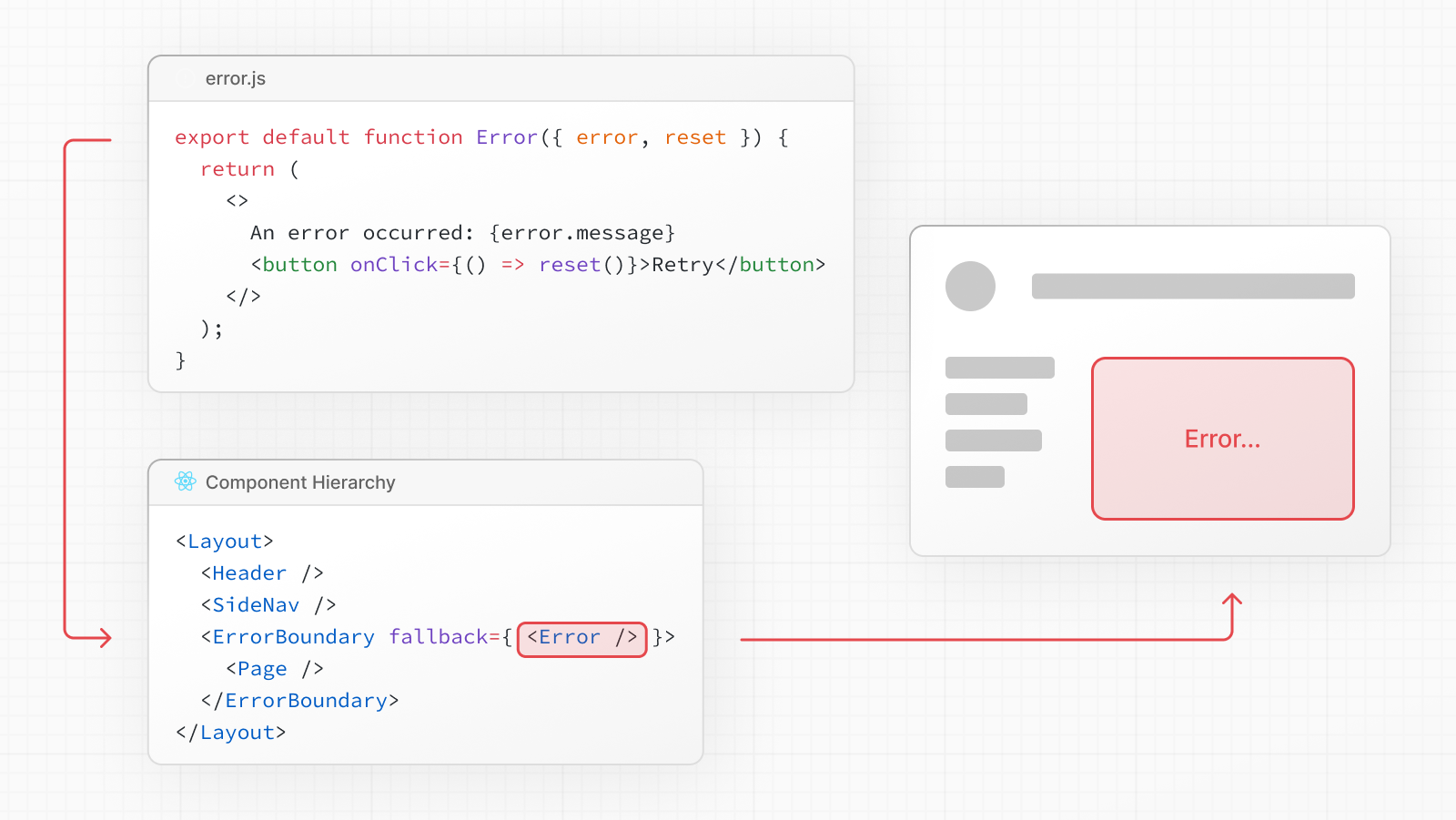
return ( <div> <h2>Something went wrong!</h2> <button onClick={ // Attempt to recover by trying to re-render the segment () => reset() } > Try again </button> </div> )}error.js wraps a route segment and its nested children in a React Error Boundary. When an error throws within the boundary, the error component shows as the fallback UI.
Good to know:
- The React DevTools allow you to toggle error boundaries to test error states.
- If you want errors to bubble up to the parent error boundary, you can
throwwhen rendering theerrorcomponent.
Reference
Section titled “Reference”An instance of an Error object forwarded to the error.js Client Component.
Good to know: During development, the
Errorobject forwarded to the client will be serialized and include themessageof the original error for easier debugging. However, this behavior is different in production to avoid leaking potentially sensitive details included in the error to the client.
error.message
Section titled “error.message”- Errors forwarded from Client Components show the original
Errormessage. - Errors forwarded from Server Components show a generic message with an identifier. This is to prevent leaking sensitive details. You can use the identifier, under
errors.digest, to match the corresponding server-side logs.
error.digest
Section titled “error.digest”An automatically generated hash of the error thrown. It can be used to match the corresponding error in server-side logs.
The cause of an error can sometimes be temporary. In these cases, trying again might resolve the issue.
An error component can use the reset() function to prompt the user to attempt to recover from the error. When executed, the function will try to re-render the error boundary’s contents. If successful, the fallback error component is replaced with the result of the re-render.
'use client' // Error boundaries must be Client Components
export default function Error({ error, reset,}: { error: Error & { digest?: string } reset: () => void}) { return ( <div> <h2>Something went wrong!</h2> <button onClick={() => reset()}>Try again</button> </div> )}'use client' // Error boundaries must be Client Components
export default function Error({ error, reset }) { return ( <div> <h2>Something went wrong!</h2> <button onClick={() => reset()}>Try again</button> </div> )}Examples
Section titled “Examples”Global Error
Section titled “Global Error”While less common, you can handle errors in the root layout or template using global-error.jsx, located in the root app directory, even when leveraging internationalization. Global error UI must define its own <html> and <body> tags, global styles, fonts, or other dependencies that your error page requires. This file replaces the root layout or template when active.
Good to know: Error boundaries must be Client Components, which means that
metadataandgenerateMetadataexports are not supported inglobal-error.jsx. As an alternative, you can use the React<title>component.
'use client' // Error boundaries must be Client Components
export default function GlobalError({ error, reset,}: { error: Error & { digest?: string } reset: () => void}) { return ( // global-error must include html and body tags <html> <body> <h2>Something went wrong!</h2> <button onClick={() => reset()}>Try again</button> </body> </html> )}'use client' // Error boundaries must be Client Components
export default function GlobalError({ error, reset }) { return ( // global-error must include html and body tags <html> <body> <h2>Something went wrong!</h2> <button onClick={() => reset()}>Try again</button> </body> </html> )}Graceful error recovery with a custom error boundary
Section titled “Graceful error recovery with a custom error boundary”When rendering fails on the client, it can be useful to show the last known server rendered UI for a better user experience.
The GracefullyDegradingErrorBoundary is an example of a custom error boundary that captures and preserves the current HTML before an error occurs. If a rendering error happens, it re-renders the captured HTML and displays a persistent notification bar to inform the user.
'use client'
import React, { Component, ErrorInfo, ReactNode } from 'react'
interface ErrorBoundaryProps {  children: ReactNode  onError?: (error: Error, errorInfo: ErrorInfo) => void}
interface ErrorBoundaryState {  hasError: boolean}
export class GracefullyDegradingErrorBoundary extends Component<  ErrorBoundaryProps,  ErrorBoundaryState> {  private contentRef: React.RefObject<HTMLDivElement | null>
  constructor(props: ErrorBoundaryProps) {    super(props)    this.state = { hasError: false }    this.contentRef = React.createRef()  }
  static getDerivedStateFromError(_: Error): ErrorBoundaryState {    return { hasError: true }  }
  componentDidCatch(error: Error, errorInfo: ErrorInfo) {    if (this.props.onError) {      this.props.onError(error, errorInfo)    }  }
  render() {    if (this.state.hasError) {      // Render the current HTML content without hydration      return (        <>          <div            ref={this.contentRef}            suppressHydrationWarning            dangerouslySetInnerHTML={{              __html: this.contentRef.current?.innerHTML || '',            }}          />          <div className="fixed bottom-0 left-0 right-0 bg-red-600 text-white py-4 px-6 text-center">            <p className="font-semibold">              An error occurred during page rendering            </p>          </div>        </>      )    }
    return <div ref={this.contentRef}>{this.props.children}</div>  }}
export default GracefullyDegradingErrorBoundary'use client'
import React, { Component, createRef } from 'react'
class GracefullyDegradingErrorBoundary extends Component { constructor(props) { super(props) this.state = { hasError: false } this.contentRef = createRef() }
static getDerivedStateFromError(_) { return { hasError: true } }
componentDidCatch(error, errorInfo) { if (this.props.onError) { this.props.onError(error, errorInfo) } }
render() { if (this.state.hasError) { // Render the current HTML content without hydration return ( <> <div ref={this.contentRef} suppressHydrationWarning dangerouslySetInnerHTML={{ __html: this.contentRef.current?.innerHTML || '', }} /> <div className="fixed bottom-0 left-0 right-0 bg-red-600 text-white py-4 px-6 text-center"> <p className="font-semibold"> An error occurred during page rendering </p> </div> </> ) }
return <div ref={this.contentRef}>{this.props.children}</div> }}
export default GracefullyDegradingErrorBoundaryVersion History
Section titled “Version History”| Version | Changes |
|---|---|
v15.2.0 | Also display global-error in development. |
v13.1.0 | global-error introduced. |
v13.0.0 | error introduced. |
Learn more about error handling- Error Handling
Section titled “Learn more about error handling- Error Handling”- Learn how to display expected errors and handle uncaught exceptions.