Intercepting Routes
Source URL: https://nextjs.org/docs/app/api-reference/file-conventions/intercepting-routes
Intercepting Routes
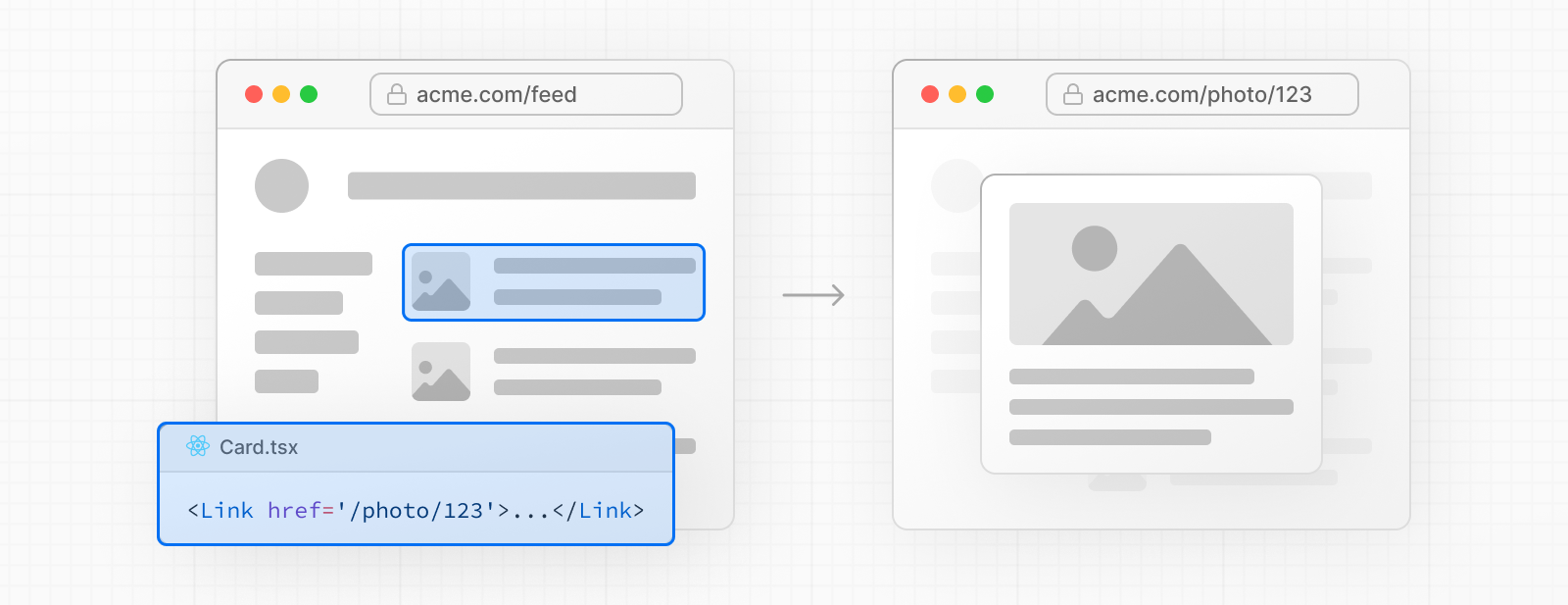
Section titled “Intercepting Routes”Intercepting routes allows you to load a route from another part of your application within the current layout. This routing paradigm can be useful when you want to display the content of a route without the user switching to a different context.
For example, when clicking on a photo in a feed, you can display the photo in a modal, overlaying the feed. In this case, Next.js intercepts the /photo/123 route, masks the URL, and overlays it over /feed.
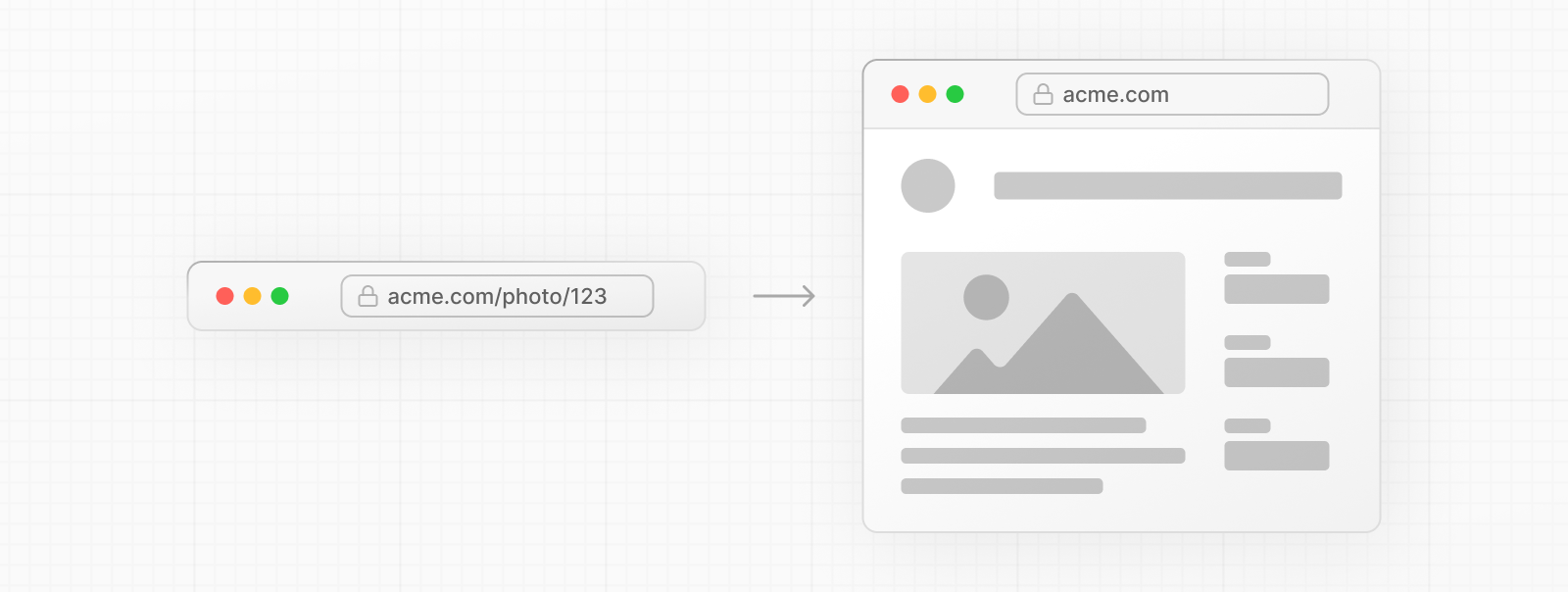
However, when navigating to the photo by clicking a shareable URL or by refreshing the page, the entire photo page should render instead of the modal. No route interception should occur.
Convention
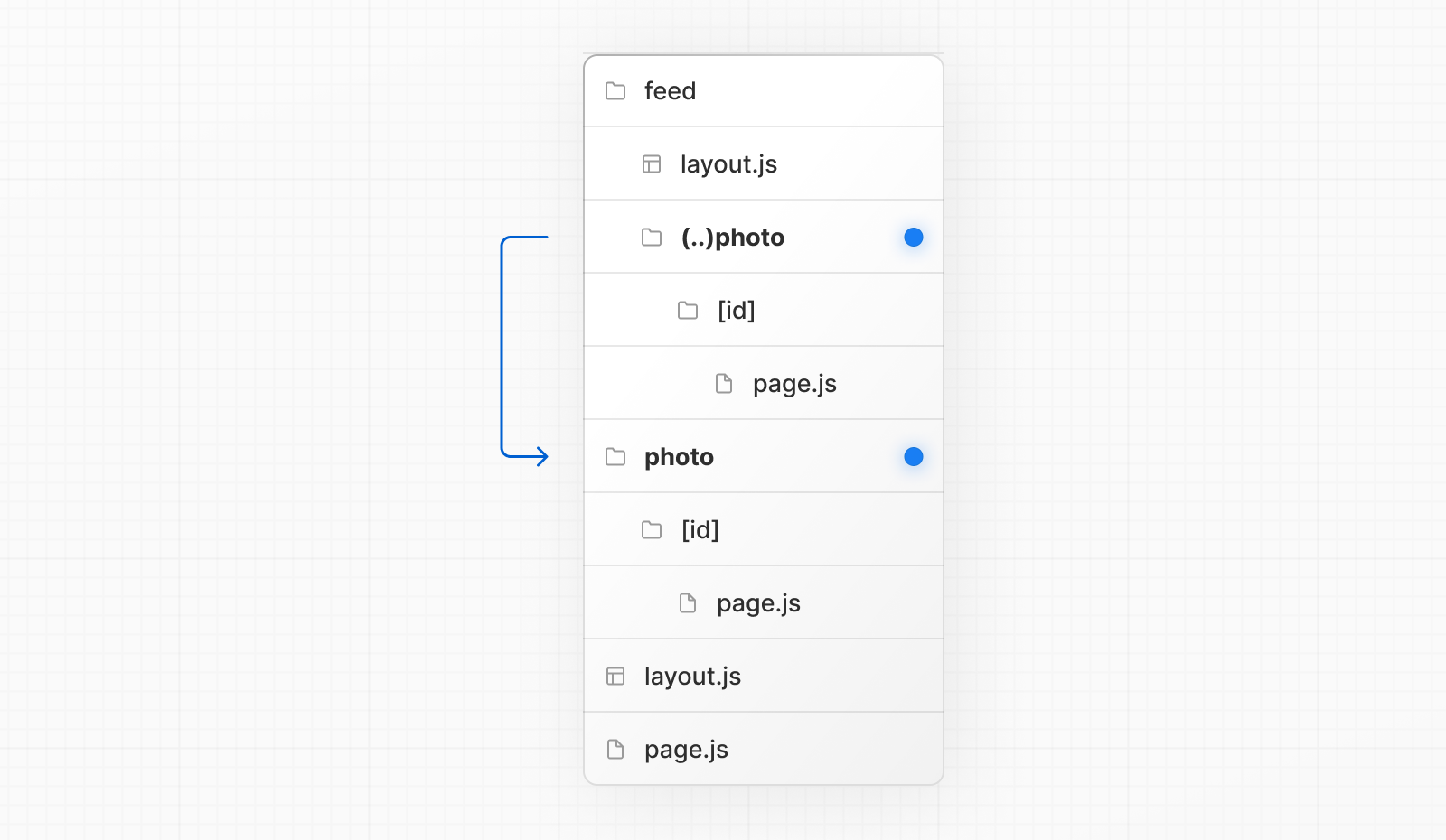
Section titled “Convention”Intercepting routes can be defined with the (..) convention, which is similar to relative path convention ../ but for route segments.
You can use:
(.)to match segments on the same level(..)to match segments one level above(..)(..)to match segments two levels above(...)to match segments from the rootappdirectory
For example, you can intercept the photo segment from within the feed segment by creating a (..)photo directory.
Good to know: The
(..)convention is based on route segments, not the file-system. For example, it does not consider@slotfolders in Parallel Routes.
Examples
Section titled “Examples”Modals
Section titled “Modals”Intercepting Routes can be used together with Parallel Routes to create modals. This allows you to solve common challenges when building modals, such as:
- Making the modal content shareable through a URL.
- Preserving context when the page is refreshed, instead of closing the modal.
- Closing the modal on backwards navigation rather than going to the previous route.
- Reopening the modal on forwards navigation.
Consider the following UI pattern, where a user can open a photo modal from a gallery using client-side navigation, or navigate to the photo page directly from a shareable URL:
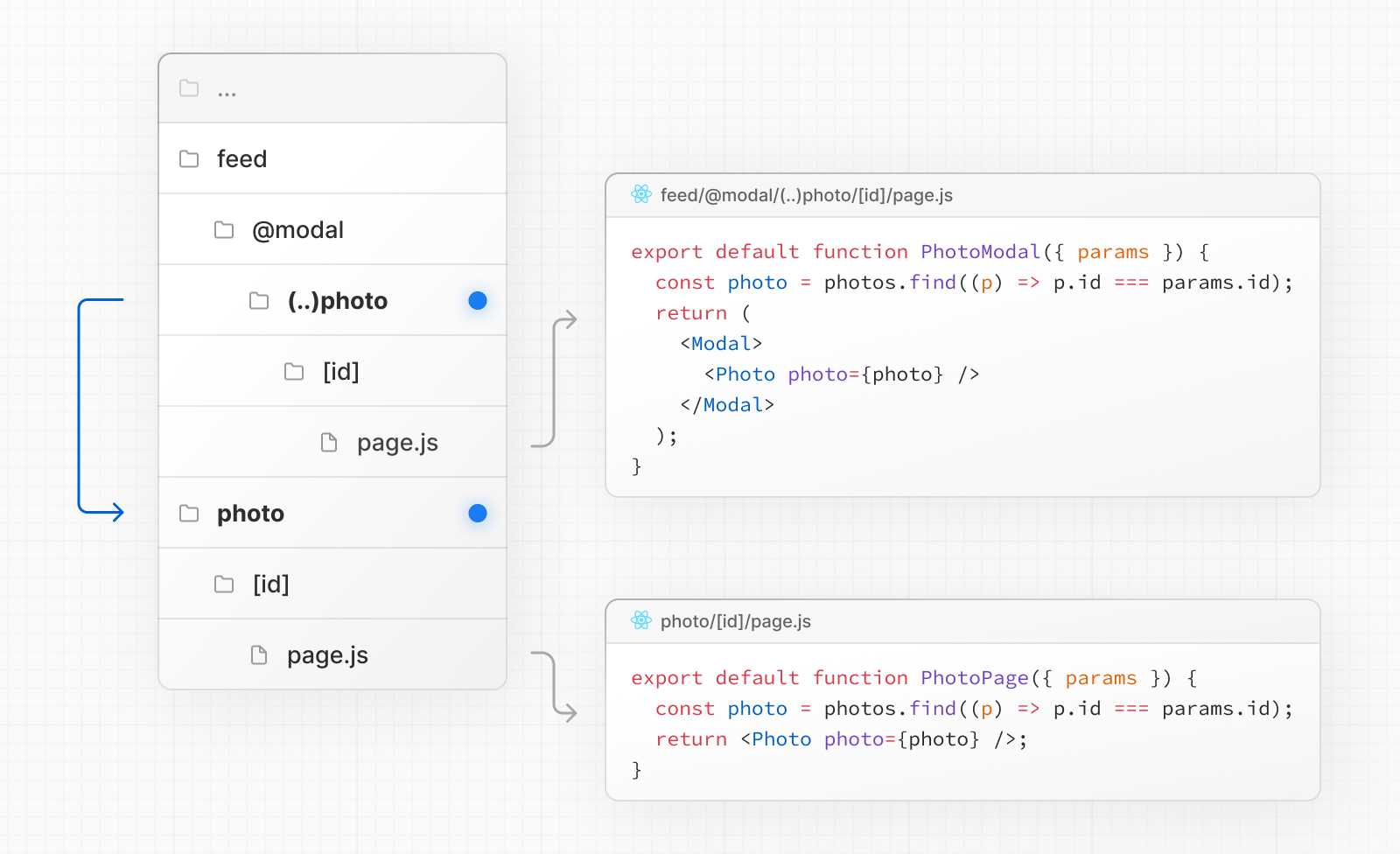
In the above example, the path to the photo segment can use the (..) matcher since @modal is a slot and not a segment. This means that the photo route is only one segment level higher, despite being two file-system levels higher.
See the Parallel Routes documentation for a step-by-step example, or see our image gallery example.
Good to know:
- Other examples could include opening a login modal in a top navbar while also having a dedicated
/loginpage, or opening a shopping cart in a side modal.
Next Steps
Section titled “Next Steps”Learn how to create modals with Intercepted and Parallel Routes.
- Parallel Routes
- Simultaneously render one or more pages in the same view that can be navigated independently. A pattern for highly dynamic applications.